
Will RustSC work with my server?
Keep the host you already use for Rust on PC. Whether you run the whole machine or rent a single game server, start with the access you have today.
What access do you have?
Windows or Linux
Install on your host
- Before you connect
- Install RustSC on the machine that runs the game. Use Windows 11, Ubuntu 24.04 LTS, Debian 12 or Debian 13.
- What you can manage
- Add the folder your server already uses to keep your map and player saves in place. In the portal you can schedule wipes, update the game, and take or restore local backups.

Hosting panel key
Connect through a hosting panel
- Before you connect
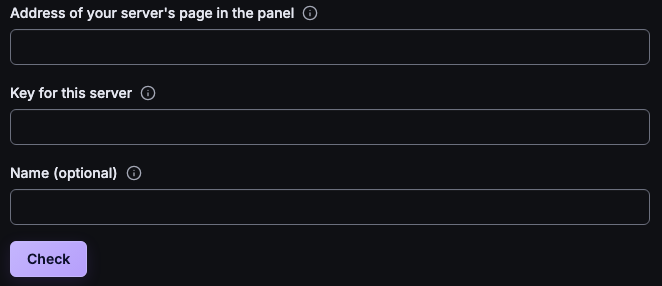
- Choose Rented server when adding a server in RustSC. Pick your host and enter the server details and the key from your panel.
- What you can manage
- Depending on the access your host gives you, you can use the console, manage files, and start, stop or restart the game. Choose Check to see what works before you connect.
File address, username and password
Connect with a file login
- Before you connect
- Have the file address, username and password from your host. Choose Another host if your provider isn’t listed.
- What you can manage
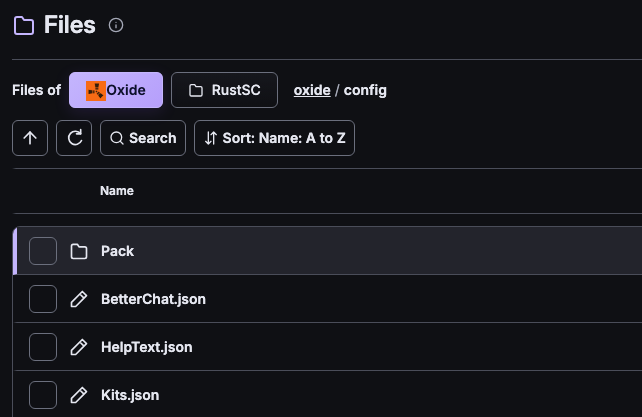
- Browse the folders your login can reach. Edit files when your login can write and you allow changes in RustSC. Add your server’s console password if your host offers a remote console. Use your host’s panel to start a stopped server.



Does your server use mods?
Vanilla Rust
On a host you control, the core management tools work with the base game. You can use them without installing a plugin framework.
Oxide and Carbon
On a host you control, manage plugins and permissions for either framework. Add the optional RustSC plugin for features such as player reports and the live map.
Keep your current world
Connect the server where it runs today. Check it from your phone or laptop and choose when to hand over jobs like backups and wipes.